Give visitors more control
Let people adjust text, spacing, contrast, reading support, motion and other presentation preferences without changing the underlying website.
AAI Accessibility Widget
Give visitors practical accessibility and personalisation controls from the moment they arrive — with one professionally managed Widget.
The Widget supports visitors. It complements accessible design, development, testing and remediation — it does not claim to make an inaccessible website compliant by itself.
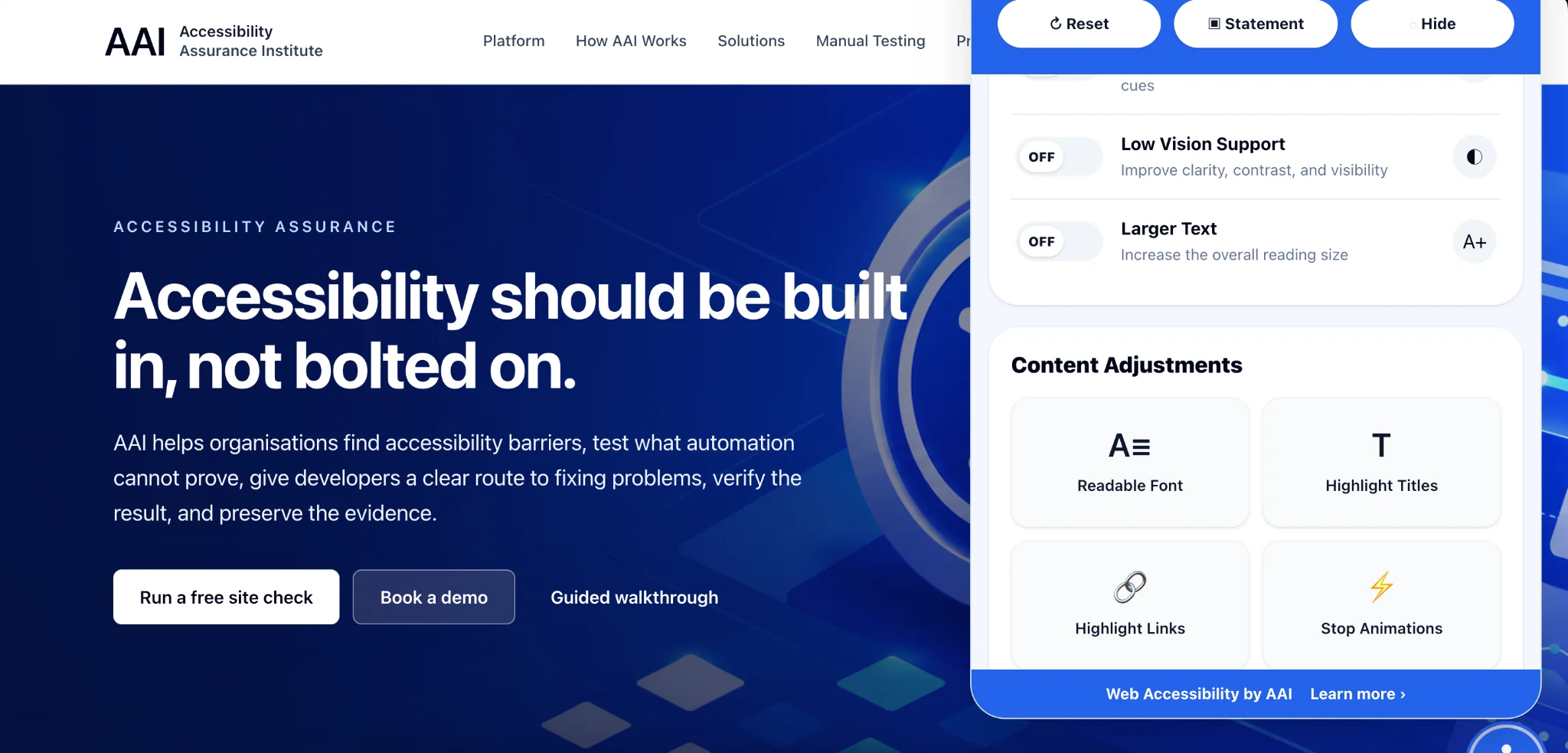
Why offer the Widget?
Let people adjust text, spacing, contrast, reading support, motion and other presentation preferences without changing the underlying website.
Useful for people with low vision, reading difficulties, dyslexia, motor impairments, attention or cognitive needs, colour and contrast preferences, and many others.
Install the Widget once, then manage its configuration through AAI without rebuilding your website every time a setting changes.
Visitor controls
Your Widget. Your way.
The AAI Widget Builder lets your team choose the controls, presentation and panel size that suit your website.
The built-in Test Bench lets you check the experience at desktop, tablet and mobile sizes before publishing changes.
Try the real Test Bench
This is the same live Widget preview technology used by AAI, shown here in a safe demonstration environment.
Easy to install
Add the AAI Widget loader to your website, choose the experience you want through the Widget Builder, test it safely, and publish.
Place the lightweight AAI loader on your website.
Choose the visitor controls and presentation through the AAI Widget Builder.
Preview desktop, tablet and mobile behaviour before making changes live.
Widget + accessibility assurance
Use the Widget on its own or combine it with the wider AAI platform for automated assessment, manual testing, remediation, verification and stakeholder-ready accessibility evidence.